Consider supporting us by disabling your ad blocker / add to whitelist / purchasing VIP.


Katie Cookie
-
Posts
11 -
Joined
-
Last visited
-
Days Won
4
Content Type
Profiles
Forums
Blogs
Gallery
Downloads
Store
Lyrics
News
Guide
Events
Posts posted by Katie Cookie
-
-
https://github.com/Kethen/tdu2_camera_hack/commit/d7bf16a2c29ff605a17e8d7dd43633ac6d75c703
One more patch here, for checkboxes to disable camera vibrations
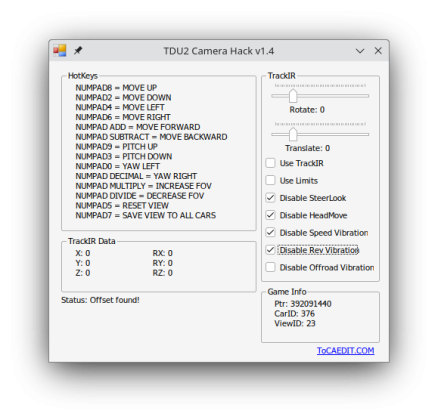
https://github.com/Kethen/tdu2_camera_hack/releases/tag/v1.4_unofficial_patch_2024-08-13
- andrey zyb and Ramon1991cobra
-
 1
1
-
 1
1
-
@Racer_S Hi, thanks for the amazing tool! Especially with source available

1.4 on http://www.tocaedit.com/2021/03/tdu2-camera-hack-updated-to-v14.html seems to have an outdated offset for `Disable HeadMove`I made a guess based on your commented code and patched the offset so that it would work again, here's the patch https://github.com/Kethen/tdu2_camera_hack/commit/0080bcc34936e2ffe4d511216c627cf5876b545b
Also attaching the patched exe here for those who want to try it https://github.com/Kethen/tdu2_camera_hack/releases/tag/v1.4_unofficial_patch_2024-08-12 , before a new official release is made
-
Remastered Controls Gran Turismo PSP
- override internal steering deadzone for fine steering
- inject vector throttle and brake values for a better RWD experience
- load prx with game, see https://www.ppsspp.org/docs/reference/plugins/ for PPSSPP, see https://consolemods.org/wiki/Vita:Adrenaline#Adding_Plugins for PSVita and https://www.reddit.com/r/PSP/wiki/plugins/ for PSP
-
on PPSSPP, throttle is bound to right stick left, brake is bound to right stick down, remap right stick left and down in ppsspp accordingly to your desired throttle and brake control
- on windows, please use version 1.17 and up
-
camera rotation on bumper and cockpit view can additionally be enabled on PPSSPP through the settings file
- binds to left stick up and down when enabled, remap PPSSPP left stick up and down to your desired camera control inputs accordingly
- on PSVita, throttle is bound to right stick up, brake is bound to right stick down
- on PSP, it only reduces steering deadzones, there is no keybinding
-
one can write
ms0:/PSP/GTRemastered_settings.txtoref0:/PSP/GTRemastered_settings.txtto modify the plugin's behavior
<camera control on PPSSPP on/off> <inner analog deadzone 0-127> <outer analog deadzone 0-127>
- eg. enable camera control on PPSSPP, map the start of analog input to 10/127, end of analog input to 117/127
1 10 117- EU v2.00 (UCES01245 2.00)
- US v2.00 (UCUS98632 2.00)
- JP v1.01 (UCJS10100 1.01)
- ASIA v1.00 (UCAS40265 1.00)
- https://github.com/TheOfficialFloW/RemasteredControls
- https://github.com/albe/joysens
- https://github.com/Freakler/ppsspp-GTARemastered
- https://github.com/kotcrab/ghidra-allegrex for making psp games modding easier
- https://github.com/pspdev , m33 and pro cfw for psp homebrew development tools
- https://github.com/hrydgard/ppsspp for an awesome hle psp
-
check the game_tweaks directory of this repository
---
If you like this and would like to tip me, feel free to do so at https://ko-fi.com/kethen
-
Submitter
-
Submitted11/10/2023
-
Category
- TDU Iceman and andrey zyb
-
2
-
With the help of ghidra and x86dbg, I think I found a modifier on the game exe for changing non-hardcore vehicle gravity
While the game exe is sadly stripped of symbols, by searching for "gravity" strings, there exists a "Gravity Coef" string, around where the game seems to set boundries for car handling during game start such as "Gravity Height Max", for the non hardcore car physics engine
The "Gravity Coef" is taken from a static variable, and that static variable is set from a 4 byte floating point constant at 0x00f8a21c (memory address in ghidra, on a drm-less 1.66a exe)
Patching that constant before it is used can effect car gravity when a wheel is lifted off the ground; the current value is 1.0, setting it to 0.0 leads to what it seems to be pretty reasonable gravity instead of having artificial down force pushing the car back to the floor, -10.0 sends the car upward which then respawns on the ground
It might be possible to change that with cheat engine as well, I'm not familiar with cheat engine however but it has to be set very early on during game initialization, before the value is set to car handling (that happens even before the game window is shown)
I'll play with that a little bit in a few races then maybe post a non-hardcore gravity patched exe
Edit: Gravity patching tool can now be found at, a list of related memory offset can be found at https://github.com/Kethen/TDU_normal_mode_gravity_changer/blob/main/memory_offsets.md -
On 3/14/2023 at 5:36 AM, Ghostddd said:
Hi there, im new around here and i got the PP launcher in the same directory as TDU, the problem is, its not hooking properly. I dont see 0.03A but the 2.00 patch.
I am running on linux, with wine. If someone can help that would be great. Thanks
Make sure to load native d3d9.dll on wine
Either create a new d3d9.dll override and set it to native in winecfg, or$ WINEPREFIX=<wine prefix path> wine reg add 'HKEY_CURRENT_USER\Software\Wine\DllOverrides' /v d3d9 /d native /f
As long as 32 bit dxvk d3d9.dll is installed in <wine win32 prefix>/drive_c/windows/system32 or <wine win64 prefix>/drive_c/windows/syswow64, dxvk will also work
With the dll override it'll hook just fine with the 1.66a exe (I don't think it works with the initial release exe), you probably also need the following to add d3dx9_<x> dlls to your prefix for the mod$ WINEPREFIX=<wine prefix path> winetricks -f d3dx9
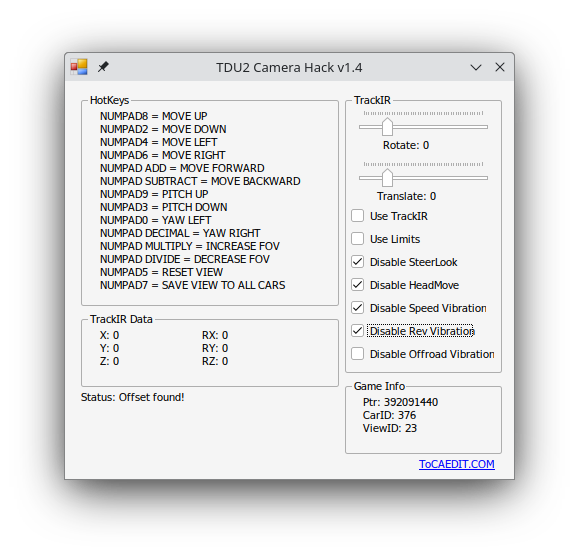
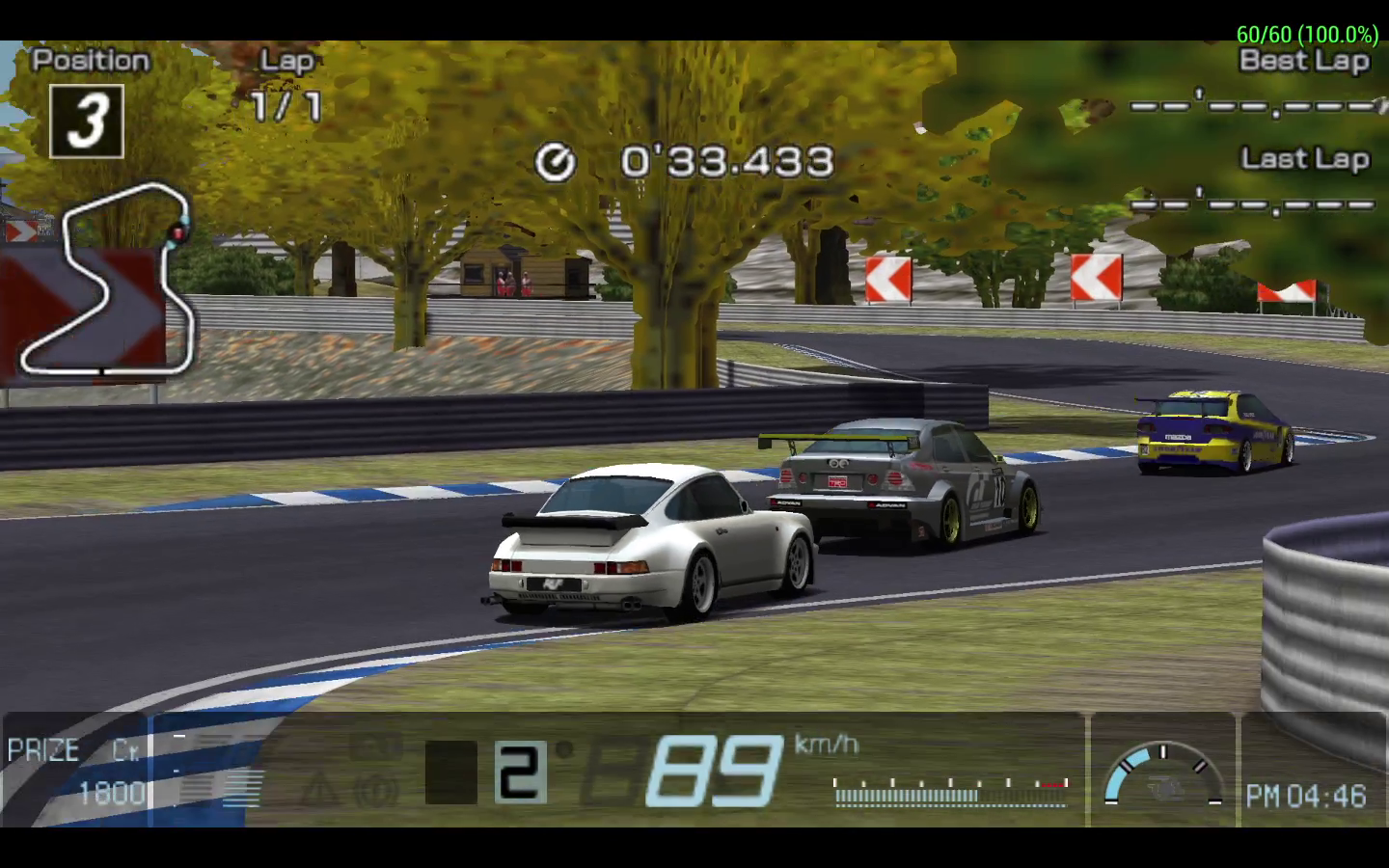
(DIY HC/Casual+ mode, ffb tweaks) TDU2 physics tweaks
in Tools / Others Mod
Posted · Edited by Katie Cookie
View File
(DIY HC/Casual+ mode, ffb tweaks) TDU2 physics tweaks
Release history:
- 2024-10-07
Fixed crashing to desktop on windows introduced in version 2024-10-04
- 2024-10-04
Fixed min and max spring force feedback config reading
Reduced cpu usage
- 2024-09-02
Added suspension spring tweaking and new example config, thanks Xarlith and MeFisto94 for tips and explanations
- 2024-07-12
Added ffb spring min/max strength tweak, extra damper reduction, along with front wheel brake slipping feedback simulation
Fixed a bug where convoy mission car is not recognized as player car
- 2024-07-06
Added tdu1-like steering wheel mode with adjustable max turning angle and turn velocity
Added analog settings (controller configuration) overrides
- 2024-07-05
Added option to disable abs, along with enhanced braking wheel lock simulation
Added option to disable tcs
Added option to let road cars drive like offroad cars on dirt and grass
Allow modifying brake power
Allow overriding angular damping (magic resistance to turning and rolling)
- 2024-06-29-2
Fixed changes not getting applied after changing car in pre-race menu
- 2024-06-29
Initial release for test and evaluation
TDU2 Physics Tweak
Nudge tdu2 overall car handling to your own liking, along with force feedback tweaks
https://github.com/Kethen/tdu2_physics_tweaks
Video demo of the example config below, speedometer is in kph (Streamable)
Video demo of the adjustable steering wheel mode (Streamable), enabled by setting "steering_wheel_mode" to true
Known issues
- The plugin causes game crashes on the 21MB exe and I have yet to find out why, considering how it would only crash after roughly 3 races of driving, I believe the 21MB exe might have some sort of exe integrity check that was not fully patched out
---
Installation on Windows
Place
dinput8.dll,MinHook.x86.dll,tdu2_physics_tweaks_config.json,dinput8_ffb_tweaks_i686.dllandtdu2_physics_tweaks_i686.asinext to TestDrive2.exe.Installation on Linux+WINE
Copy the file next to TestDrive2.exe following the Windows instruction.
After that you'd likely also have to declare a dll override before the asi loader as
dinput8.dllwill be picked up. It can be done in winecfg or with the below environment variable.Alternatively, if you are already using dxvk, chances are you have a
d3d9.dlloverride ready to go. Simply installdinput8.dllasd3d9.dllinstead.---
Usage
After installation, edit
tdu2_physics_tweaks_config.jsonto nudge the game closer to your taste.Some values can be adjusted while the game is running. Check the in-json string comments for when values are applied.
The following examples adjusts vanilla cars to feel somewhere between tdu2 and tdu1 hc. Time trials and license tests will become relatively more challenging.
---
Controller Hardcore Lite Example
{
	"only_modify_player_vehicle":true,
	"allow_road_cars_on_dirt": true,
	"overrides":{
		"d1":"changes gravity constant, applies once on game start",
		"gravity":-9.81,

		"d2":"overrides extra gravity values in Physics.cpr, applies on change. set to 0 to remove extra downforce when airborne",
		"min_extra_gravity":0.0,
		"max_extra_gravity":0.0,
		"extra_gravity_accel_duration":0.1,
		"extra_gravity_accel_delay":0.1,

		"d3":"beta, disabling abs and tcs, weird to do in tdu2, let me know how each item feels",
		"abs_off":true,
		"tcs_off":true,
		"hand_brake_abs_off":true,

		"d4":"override angular damping values in Physics.cpr, higher values means more resistance to rotations (both turning and rolling), applies on car spawn/change",
		"override_angular_damping":true,
		"new_angular_damping":0.0,

		"d5":"steering wheel mode like in tdu1, values overrides only applies when enabled, applies on car spawn/change",
		"steering_wheel_mode":false,
		"steering_velocity":900.0,
		"steering_max_angle":40.0,

		"d6":"analog settings (controller configuration), applies on change",
		"override_analog_settings":false,
		"d7":"strength of damper and spring effects, more than 1.0 will cause clipping",
		"ffb_strength":1.0,
		"d8":"strength of sine effects, happens during surface change, driving offroad, and redlining",
		"ffb_vibration":0.5,
		"steering_sensitivity":0.25,
		"steering_speed_factor":0.0,
		"steering_damping":0.0,
		"steering_deadzone":0.0,
		"clutch_linearity":0.5,
		"throttle_linearity":0.5,
		"brake_linearity":0.5
	},
	"multipliers":{
		"d1":"multiply some values available in tdu2vpe during load, applies on car spawn/change",
		"suspension_length_front":1.0,
		"suspension_length_rear":1.0,
		"spring_front":0.75,
		"spring_rear":0.75,
		"dampers_front":0.75,
		"dampers_rear":0.75,
		"ride_height_front":1.0,
		"ride_height_rear":1.0,
		"anti_roll_bar_front":2.5,
		"anti_roll_bar_rear":2.5,
		"anti_roll_bar_damping_front":0.5,
		"anti_roll_bar_damping_rear":0.5,
		"lift_drag_ratio":1.0,
		"down_force_velocity":1.0,
		"down_force_front":1.0,
		"down_force_rear":1.0,
		"lateral_grip_front":0.65,
		"lateral_grip_rear":0.65,
		"grip_front":0.7,
		"grip_rear":0.7,
		"brake_power":1.0
	},
	"ffb_tweaks": {
		"d1":"force feedback tweaks, applies on change",
		"enabled": false,
		"d2":"to log all effects sent to dinput8 or not",
		"log_effects": false,
		"d3":"reduce damper effect as the car go faster more than the game originally does, how it feels depends on how your wheel renders damper effect",
		"reduce_damper": false,
		"d4":"adjust spring effect begin and end force scaled on car speed, 0-10000, more than 10000 will cause clipping",
		"spring_effect_max": 10000,
		"spring_effect_min": 6500
	}
}
Wheel Hardcore Lite Example
Notable options are
override_analog_settings,steering_sensitivity,steering_deadzone,steering_wheel_mode,steering_max_angleunder theoverridessection, as well as theffb_tweakssectionTDU2 sadly do not render wheel physics using constant force effect, but with spring and damper effects, basically asking the wheel to do it instead.
You'd likely need to raise spring gain and adjust damper gain in your wheel's setting software to have better wheel feedback (eg. my g29 on linux, https://github.com/berarma/new-lg4ff driver along with https://github.com/berarma/oversteer gui allows adjusting overall, friction, damper and spring effect gains; Ghub on windows on the other hand seems to not expose any of those settings and Logitech Wheel Helper seems to have stopped working with the newest Ghub)
Additionally when ffb tweaks are enabled, front wheel slipping feedback is simulated in a best effort manner
Perhaps one day the game physics engine will be studied enough for re-implementing steering phyiscs entirely
{
	"only_modify_player_vehicle":true,
	"allow_road_cars_on_dirt": true,
	"overrides":{
		"d1":"changes gravity constant, applies once on game start",
		"gravity":-9.81,

		"d2":"overrides extra gravity values in Physics.cpr, applies on change. set to 0 to remove extra downforce when airborne",
		"min_extra_gravity":0.0,
		"max_extra_gravity":0.0,
		"extra_gravity_accel_duration":0.1,
		"extra_gravity_accel_delay":0.1,

		"d3":"beta, disabling abs and tcs, weird to do in tdu2, let me know how each item feels",
		"abs_off":true,
		"tcs_off":true,
		"hand_brake_abs_off":true,

		"d4":"override angular damping values in Physics.cpr, higher values means more resistance to rotations (both turning and rolling), applies on car spawn/change",
		"override_angular_damping":true,
		"new_angular_damping":0.0,

		"d5":"steering wheel mode like in tdu1, values overrides only applies when enabled, applies on car spawn/change",
		"steering_wheel_mode":true,
		"steering_velocity":900.0,
		"steering_max_angle":40.0,

		"d6":"analog settings (controller configuration), applies on change",
		"override_analog_settings":true,
		"d7":"strength of damper and spring effects, more than 1.0 will cause clipping",
		"ffb_strength":1.0,
		"d8":"strength of sine effects, happens during surface change, driving offroad, and redlining",
		"ffb_vibration":0.5,
		"steering_sensitivity":0.25,
		"steering_speed_factor":0.0,
		"steering_damping":0.0,
		"steering_deadzone":-0.05,
		"clutch_linearity":0.5,
		"throttle_linearity":0.5,
		"brake_linearity":0.5
	},
	"multipliers":{
		"d1":"multiply some values available in tdu2vpe during load, applies on car spawn/change",
		"suspension_length_front":1.0,
		"suspension_length_rear":1.0,
		"spring_front":0.75,
		"spring_rear":0.75,
		"dampers_front":0.75,
		"dampers_rear":0.75,
		"ride_height_front":1.0,
		"ride_height_rear":1.0,
		"anti_roll_bar_front":2.5,
		"anti_roll_bar_rear":2.5,
		"anti_roll_bar_damping_front":0.5,
		"anti_roll_bar_damping_rear":0.5,
		"lift_drag_ratio":1.0,
		"down_force_velocity":1.0,
		"down_force_front":1.0,
		"down_force_rear":1.0,
		"lateral_grip_front":0.65,
		"lateral_grip_rear":0.65,
		"grip_front":0.7,
		"grip_rear":0.7,
		"brake_power":1.0
	},
	"ffb_tweaks": {
		"d1":"force feedback tweaks, applies on change",
		"enabled": true,
		"d2":"to log all effects sent to dinput8 or not",
		"log_effects": false,
		"d3":"reduce damper effect as the car go faster more than the game originally does, how it feels depends on how your wheel renders damper effect",
		"reduce_damper": false,
		"d4":"adjust spring effect begin and end force scaled on car speed, 0-10000, more than 10000 will cause clipping",
		"spring_effect_max": 10000,
		"spring_effect_min": 6500
	}
}
Changed values are logged in
tdu2_physics_tweaks_log.txtfor db tuning reference.When
log_effectsunderffb_tweaksis enabled, effects sent to dinput8 are logged todinput8_ffb_tweaks_log.txt---
Trouble shooting
Make sure your edited config is a valid json file and contains all the keys this tool needs.
Check
tdu2_physics_tweaks_log.txtif the game refuses to start/self closes.If
tdu2_physics_tweaks_log.txtordinput8_ffb_tweaks_log.txtdon't change / don't get created, make sure the directory and the log files are not readonly.---
Building
On windows, install cygwin, along with
mingw64-i686-gcc-coreandmingw64-i686-gcc-g++toolchains, then runbuild.shat the project root in cygwin shell.On linux, install
podmanfrom your package manager then runbuild_podman.sh.---
Credits
---
External projects used