Jump to content
We promise no intrusive ads, Please help keep the community alive
Consider supporting us by disabling your ad blocker / add to whitelist / purchasing VIP.

Recommended Posts

Posted

Ok I have a few problems with both features.


First If I make some photos (with terrible effort as the photomode in TDU2 is so stupid, buggy and annoying) they would go here right?


C:\Users\Skyline\Documents\Eden Games\Test Drive Unlimited 2\savegame\eXile6\PHOTOS


If yes then so far so good.


Then I would go in there and there would be a few JPEG file pictures that I have taken.


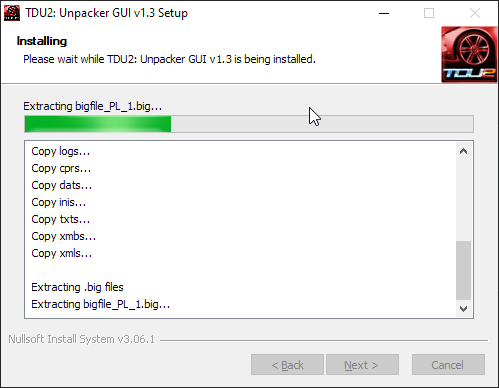
However when I try to open them, this comes up:


http://i302.photobucket.com/albums/nn87/XeqtR0608/wtf2-1.jpg


Wtf ? Any Ideas ? They wont work in photoshop, or any other viewer either.


And im pretty sure thats the format they need to be :/


http://i302.photobucket.com/albums/nn87/XeqtR0608/wtf-6.jpg


Thanks in advance,


- XeqtR

Posted

I don't know if this is a bug or if they made it intentionally but the pictures are somehow encrypted so you can't view them in windows... However you can put your pictures in the map and they will show up in the game so its a wierd system.


-Dgl44

Posted

Okay that makes sense but how did other people post TDU2 Screenshots from their photomode ? Fraps while taking the screenshot or ? :/


Thanks for the fast reply.

Posted

using fraps, this is how you do it

- using the photomode, take all the pics you want.

- go to your house

- open the album and open the picture you want extracted

- go nuts on fraps.


You have to do this in order to avoid having menus all over the pictures. All you get if a small pic tittle on the bottom of it. But it seems that you can have no text if at the moment the game asks you to name the picture, you delete the name and hit ok.

Posted

You have to do this in order to avoid having menus all over the pictures. All you get if a small pic tittle on the bottom of it. But it seems that you can have no text if at the moment the game asks you to name the picture, you delete the name and hit ok.

Yeah I tried that and it works, although you still get the little camera icon where the text was supposed to be.

Posted
Yeah I tried that and it works, although you still get the little camera icon where the text was supposed to be.


Can be photoshoped if necessary no big deal :P

Join the conversation

You can post now and register later. If you have an account, sign in now to post with your account.
Note: Your post will require moderator approval before it will be visible.

Guest
Reply to this topic...

×   Pasted as rich text.   Paste as plain text instead

  Only 75 emoji are allowed.

×   Your link has been automatically embedded.   Display as a link instead

×   Your previous content has been restored.   Clear editor

×   You cannot paste images directly. Upload or insert images from URL.


×
×
  • Create New...