Consider supporting us by disabling your ad blocker / add to whitelist / purchasing VIP.

Ryzza5
-
Posts
18,064 -
Joined
-
Last visited
-
Days Won
201
Content Type
Profiles
Forums
Blogs
Gallery
Downloads
Store
Lyrics
News
Guide
Events
Everything posted by Ryzza5
-
Setup not creating any files in the directory.
Ryzza5 replied to speedbs's topic in TDU World's Topics
If the shortcut is not pointing to a file, maybe it was quarantined by your security software. -
I'd say it would be very hard to estimate when features will be complete since they are reverse engineering existing code, some of which they cannot modify (i.e. game client behaviour). The feature they start working on next might not be the next one that is completed if they discover unexpected challenges.
- 1 reply
-
- 2
-

-
When TDU World supports the 'Friends list' and 'Clubs' features, those with old save-games may run into issues when their game attempts to find the information from the old official TDU2 server which does not exist on the TDU World server. i.e. Your game: Hey server, can you show me where on the map my friends are? Here are their names. Server: Um, I don't know who any of these people are... Your game: Oh, I wasn't expecting that result. Now what do I do? Crash to desktop maybe???
-
Good to hear. Thanks for reporting back.
-
Try this (assuming you have 64-bit Windows). Go to the folder when TDU2 is installed. Copy testdrive2.exe and paste in the same location to create a backup. Then download this 4gb_patch.zip file, extract it, and run it. It will ask you to select an executable to patch. Select your original testdrive2.exe file (not the backup). After the successful message, try playing TDU2 again and note if the crashing goes away or reduces in frequency. Then report back here with the results. Note - if you are unable to download this attachment, please make sure you have joined the TDU World club on these forums first.
-
TDU2_Controller_Configuration.pdf Please see the attached file for an explanation of each of these settings as well as suggested values.
-
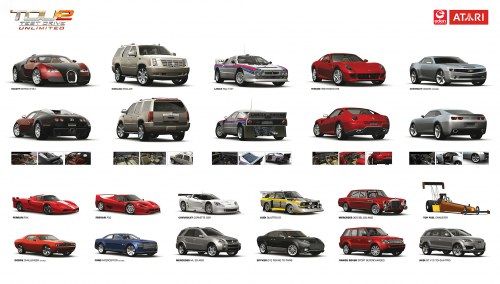
Version DLC2 v034
28,789 downloads
Manually download and install the latest official patch for Test Drive Unlimited 2 using this link. The official TDU2 patch server is no longer available. Installation: Copy and paste contents to your TDU2 directory and overwrite.Free -
View File TDU2 Official 'DLC2 v034' Update Manually download and install the latest official patch for Test Drive Unlimited 2 using this link. The official TDU2 patch server is no longer available. Installation: Copy and paste contents to your TDU2 directory and overwrite. Submitter Ryzza5 Submitted 02/07/2021 Category Tools / Others
-
Thanks for that. I can't say for certain, but I do know that TDU1 in particular did not do a good job of supporting integrated and laptop GPUs, even ones that had very good performance in other games. This could explain the issues you are seeing. There's no known fix besides using a dedicated nVidia or AMD graphics card that meets the system requirements.
-
Could you share the performance specs of your PC and if you have installed any other mods as well?
-
You could try looking into some software products that remap or merge physical inputs from one or more devices and merge them into one virtual device that the game then sees. I have never used any of these myself, but some that you might try looking at include UCR, vJoy, and Joystick Gremlin. I'm taking the assumption that there's not a lot of significant deference between the digital + analog inputs of joysticks and racing wheels.
-
[RELEASED] Test Drive Unlimited Platinum - v1.21
Ryzza5 replied to Milli's topic in Tools / Others Mod
Some cars are only available via tuning one car to turn it into another. If you provide a list of some cars you believe are missing, this can be confirmed for you. -
New wallpapers
-
[RELEASED] Test Drive Unlimited Platinum - v1.21
Ryzza5 replied to Milli's topic in Tools / Others Mod
I played with keyboard recently and found it quite easy and enjoyable to be honest. I was in hardcore mode with driving aids off for the most part. Perhaps try the Hyper driving aid selection, it will allow some slide. Just be sure to brake in a straight line before a corner and be definite/purposeful with your inputs. There's not much room for mid-corner adjustments if you get it wrong when using a keyboard. -
[RELEASED] Test Drive Unlimited Platinum - v1.21
Ryzza5 replied to Milli's topic in Tools / Others Mod
Instead of copying the entire TDU files from the platinum folder to your game installation folder, copy each folder selectively and ignore the music folder. If you backed up your game installation before installing the mod (as recommended), then you can restore the original game music files. I also prefer the original TDU1 dealership music compared to the NFS Porsche 2000 menu music. \Euro\Bnk\Sound\Musics is the subfolder. You will need to explain which cars and handling modes, driver aids, and input device you are using before asking a handling question. -
[RELEASED] Test Drive Unlimited Platinum - v1.21
Ryzza5 replied to Milli's topic in Tools / Others Mod
I'm using Hawaii Blis after Platinum ok. I ended up only using the weather files from Bliss and not the new Hawai map files. -
Can you try scanning your PC for malware and viruses?
-
[TDU1 PC] Online Pursuits up the east coast (Dec 17, 2020)
Ryzza5 replied to Ryzza5's topic in Let's Play...'s Let's Cruise
Glad to have you on board. Say hi on Discord around the start time. -
[RELEASED] Test Drive Unlimited Platinum - v1.21
Ryzza5 replied to Milli's topic in Tools / Others Mod
The first time I played TDU Platinum 1.12 a few weeks ago I also ran into a few default (red/yellow) cars - I assumed they had installed additional mods that I didn't have, but might be wrong. -
You will play online with a lot of mods. Other players won't see your modded car unless they have the same mod installed.
-
[TDU1 PC] Online Pursuits up the east coast
Ryzza5 commented on Ryzza5's event in Let's Play...'s Let's Play - Calendar & RSVP
The time you see here is based on your local timezone as per your browser/IP address. For US Eastern I recall it was 6:00 PM (12 hours later than the previous event). -
[TDU1 PC] Online Pursuits up the east coast
Ryzza5 commented on Ryzza5's event in Let's Play...'s Let's Play - Calendar & RSVP
Please use the RSVP tools if you can make it. First in, first served. If all 8 places are filled, say hi on the #tdu channel of our Discord just before the event is due to begin, just in case someone doesn't turn up. -
[TDU1 PC] Online Pursuits up the east coast (Dec 17, 2020)
Ryzza5 replied to Ryzza5's topic in Let's Play...'s Let's Cruise
There seemed to be more interest from the US compared to the UK this time, so I've rescheduled the event to what is hopefully a more convenient time. I've also added it to a calendar which will allow members to see their own timezone and also RSVP directly. You can also subscribe to the event to be reminded before it begins. -
Game Test Drive Unlimited 1 'Platinum' Event One player runs and tries to reach the destination, along a loosely-defined route up the east coast. The other players chase and try to stop the suspect. If one suspect fails, another takes his place. Preparation Before attempting to join on Sunday, please make sure: The game and Platinum mod are installed, patched, and launch correctly. You are able to sign in to your online profile. You have purchased a car that suits the theme and performance group described below. You have download and installed the pursuit bookmark files available here. You know how to use the in-game menu to lock to nearby players and know how to load bookmarks without using the map. You know where the finish point is and how to navigate there without GPS spoken/visual directions. Join us on the TurboDuck.net Discord server and post your Discord nickname below so we can make sure you've got access to voice chat (if you would like to use it). https://discord.gg/KcF9CZU Meet Location East coast of O'ahu at the first bookmark location (on the beach). We will make sure we all connect and then lock our session. We will not be using hardcore mode so that all vehicles have similar mass and gravity and are not disadvantaged when trying to block or ram other player vehicles. Car Class / Theme Select any sedan/saloon or coupe from within Group D that could reasonably be used as an undercover police car in real life in Europe or the USA. Make sure the car you select drives and brakes well and doesn't waste too much time spinning its wheels. You may wish to consider that heavier vehicles will be better at stopping suspects. If tuning a vehicle, make please retain the same manufacture and performance group. Black and/or white paint colours are preferred (even for the suspect, since we'll take turns if time permits). What to expect AlexVII and I will be filming the event for YouTube. Specific intros/endings/please to subscribe, etc can be recorded at another private time. We will nominate one suspect who will remain at the meeting point. The 'police' players will all begin driving on the road (which happens to be a circuit or loop), meaning both directions are acceptable. Once spread out, police will drive at traffic or patrol speeds. A minute or two later, the suspect will begin driving down the road in either direction (since the road loops around). They will find the main road and proceed north and loosely follow the route shown above. Police may not speed up, swerve, or otherwise engage the suspect until after the suspect has driven past them, regardless of if they are driving in the same or opposite direction to you. The suspect may not drive off-road during this phase to avoid detection. All players are encouraged to keep their HUD (mini-map and player names) turned on. Turn-by-turn navigation is not permitted. All players are encouraged to use the same driving mode (either Normal or Hardcore). Hardcore mode players are greatly disadvantaged in online pursuit chases against Normal mode players due to their vehicles having much less mass/weight. It can be impossible for a group of hardcore-mode players to stop a suspect using Normal mode. Police who fall behind may either try to catch up or jump ahead by pressing the P key to Pause, then load a Bookmark. The suspect may never use a bookmark during a chase. Police players may form roadblocks ahead of the suspect using their vehicles. Similar to classic Need for Speed games, a suspect may be caught 3 times along the route before being arrested (they are arrested on the third time). If a suspect is too hard to catch, we may decide that they need to be caught only once. If the suspect is arrested and a sufficient amount of the route remains, a new suspect can be nominated and the chase can continue from that place. Or we can jump to the last bookmark before starting the chase in the reverse direction. If the suspect arrives at the end of the route, they win. If a suspect must reset/return to the road, they will be required to count 'One-Mississippi, Two-Mississippi, Three-Mississippi' before they can begin moving again. You may be better off not resetting. If a suspect is unable to move when blocked in by police for a 1 to 2 seconds, or if they crash and become stuck while a police car is directly beside/behind, or ahead and also not moving, then the player is deemed to be caught. Police players can press T on the keyboard and type 'caught' or 'busted' or similar in that amount of time. The suspect will cease trying to escape or reset at that time while players take in-game photos of the scene, to share here later. The suspect will be given a 5 second head start after being caught if they have not been arrested. Using the Bookmarks Press P or the button you have assigned to Pause Select List Click on the desired Bookmark name to teleport there without disconnecting from the locked session players. The preview photos on the right point to the direction that the suspect should be coming from, unless we are running the route in reverse, or unless the suspect is lost.
-
[TDU1 PC] Online Pursuits up the east coast (Dec 17, 2020)
Ryzza5 replied to Ryzza5's topic in Let's Play...'s Let's Cruise
Cheers for signing up. Tell your friends