Jump to content
We promise no intrusive ads, Please help keep the community alive
Consider supporting us by disabling your ad blocker / add to whitelist / purchasing VIP.

Recommended Posts

Posted

I saved to avi, and the file was 0kb big :S and the 'save project', but that doesn't finalise the encoding, the tutroial leaves that part to the imagination - which is weird.


E: I've checked the DVD recorder, and it wont record to DVD-R :mad:

Posted

I looked on my Dad's computer for software for recording off DVD (as he uses it to record off DVD after My mum has filmed her driving lessons for her pupils), and I found several programs which work slightly. But this (MagicDVDRipper) works the best.


http://www.magicdvdripper.com/


Just download the free trial, and don't regster, this way you're able to keep the prgram (well Dad's had it for about a year without any hacking ...) Just don't click register each time you open the program. I've only tested writing to MPEG1. I will try AVI now. MPEG1 is really only good for when you're about to youtube something, as the quality gets lost when it's at 200%


Recording to AVI is best quality, however you will need a DivX codec such as this (the one I got) http://www.divx.com/divx/windows/


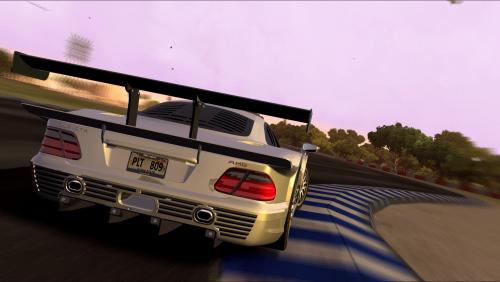
Screen-shots 1&2 added (MPEG1 only) . Smaller is 100% video size in WMP, and larger is 200% in WMP. the quality is slightly better, however the jpg compressing, and the fact I had to adust my display settings via Windows Desktop right-cligk thingy, the quality will be improved on anyone's computer.


Screen-shots are from the Recorded File from a DVD+R.


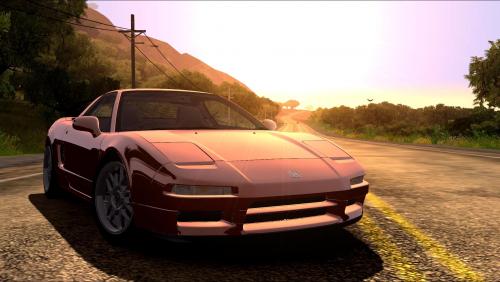
E: Second 2 Scren-shots are the AVI file produced.

Screen-shots 3&4 added (AVI only) . Smaller is 100% video size in WMP, and larger is 200% in WMP. the quality is slightly better, however the jpg compressing, and the fact I had to adust my display settings via Windows Desktop right-cligk thingy, the quality will be improved on anyone's computer.


Screen-shots are from the Recorded File from a DVD+R.

Posted

A full DVD-R (2hrs 10mins [4.7gb]) comes out at around 700mb. Or 1.25gb for MPEG1.


I'm using the DivX video as it seem better quality (very hard to tell), It's half the size, and I used my 1gb USB to move the file from dad's computer to this.

  • 2 months later...
  • 4 weeks later...
Posted

just found this link on google


http://www.microsoft.com/windows/windowsmedia/knowledgecenter/howto/FromAnalogCameratoComputer_StepbyStep.aspx


but in case of the camera, put yout XBOX there, and in case of a cable like explained with on each end the 3 colours, an XBOX 360 cable with the 3 colors, so u can connect from ur xbox to ur pc immediatly, this is an awsome workshop for people who don't understand diablo's explenation (no offence, it's good explained ;))


greetz ;)

  • 4 months later...
  • 7 months later...
Posted

prism works a treat :)

got my file uploaded - just a shame my dvd recorder isn't processing the pal 60 tdu signal too well.

nevermind it's only for youtube lol

thanks for the help again diab :)

back soon with a link to my vid.

Join the conversation

You can post now and register later. If you have an account, sign in now to post with your account.
Note: Your post will require moderator approval before it will be visible.

Guest
Reply to this topic...

×   Pasted as rich text.   Paste as plain text instead

  Only 75 emoji are allowed.

×   Your link has been automatically embedded.   Display as a link instead

×   Your previous content has been restored.   Clear editor

×   You cannot paste images directly. Upload or insert images from URL.


×
×
  • Create New...